
How Do You Optimize a Complete Webpage?
Bring on-page SEO elements together, review a complete service page and choose improvements that genuinely help its customers.
Browse the course
One page, one clear purpose
In Lesson 15, we looked at the pictures on ClearFlow Plumbing's website. Before that, we learned about links, headings, URLs, SEO titles and meta descriptions. We've spent several lessons looking closely at different parts of a webpage.
Now it's time to see how they work together.
Remember ClearFlow Plumbing, our fictional business serving Austin, Texas? Imagine a homeowner in Austin has a water heater that isn't working. They search for help, find ClearFlow's website and open its water heater repair page. They have a few ordinary questions: Does this business offer the service I need? Does it work in Austin? How do I ask for help?
Those questions give us a useful way to review the whole page. We don't need to start by counting keywords or changing every setting we can find. We need to help the homeowner get clear, truthful answers.
Start with the page someone actually sees
Imagine ClearFlow's owner has kept a rough draft of the water heater repair page. The draft says “We help with water heaters. Contact us.” It also has a vague heading and a picture that doesn't explain the service. The draft isn't a copy of everything we've improved in previous lessons; it's a before version we can use to review our work as a whole.
A homeowner reaching that draft would still have questions. A clearer version could begin with a heading that says Water Heater Repair in Austin, explain in ordinary words that ClearFlow offers that service in Austin, and show a simple way to contact the business.
Below that introduction, the page could explain what information is useful when getting in touch, such as what the water heater is doing and whether the homeowner can see any warning messages. It shouldn't pretend ClearFlow has inspected the heater or promise an outcome before learning about the problem.

What changed? Not simply the length of the text. The improved page makes the subject and next step easier to understand. That's the reason to optimize a page: to help people, while giving search engines clearer information about what's there.
Now look at the details that support the page
A person can land directly on that improved page. But someone might also see it in Google first. That's why the page should have a clear SEO title, such as Water Heater Repair in Austin | ClearFlow Plumbing, and an accurate meta description that summarizes the service. These are the pieces we practiced in Lesson 11. We can supply them, though Google may choose other text for its displayed search result.
The page also has a web address: https://clearflow.example/water-heater-repair. As we learned in Lesson 12, the ending, water-heater-repair, is called the slug. In our example, the page already uses this clear address. There's no good reason to change it merely to squeeze in more search words. Changing a live URL can affect existing links, and it needs a careful plan if it's genuinely necessary.
Once the visitor opens the page, the H1 introduces the service. H2 headings can divide the rest into useful sections. The wording should sound natural, with the words a customer would expect, rather than repeating the same phrase over and over.
Then come the connections. If ClearFlow already has a helpful article about what to tell a plumber when a water heater is behaving strangely, the service page could link to it where that would help. A link to the service page from that article can also guide readers who decide they need professional help. We learned in Lesson 14 that links are most useful when they lead somewhere relevant.
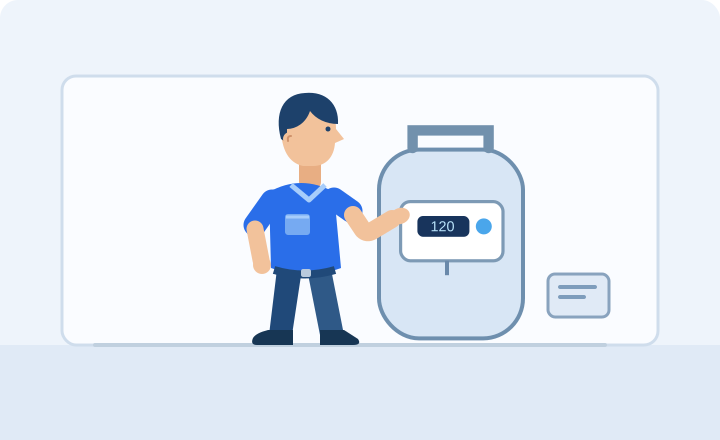
And finally, the image. An illustration of a water heater control panel may help explain a paragraph. It needs suitable alt text if it conveys useful information, and a file size that isn't unnecessarily large. It doesn't need a made-up photo of a completed repair or an invented five-star rating to look convincing.
You can see why on-page SEO works better as one connected job than a collection of separate tricks. The search result describes the page. The page answers the customer's question. Its sections make the information easy to follow. Its links and image provide useful support. And its contact option gives the homeowner a clear next step.
Would you change everything on every page?
No. Suppose ClearFlow has a clear URL and a useful heading already. Changing them again doesn't automatically help. The next improvement might be a clearer explanation or a better contact option instead.
And imagine finding a line in the draft that says “Guaranteed repair within one hour.” We haven't established that ClearFlow offers such a promise. It shouldn't be published simply because it sounds persuasive. Accuracy matters more than impressive wording. The owner should check services, locations, prices, availability, guarantees, reviews and pictures before anything goes live.
There is also a difference between making a page better and knowing it will rank higher. Search engines consider many things beyond these page elements. Google must still be able to find and index the page, as we learned in Lesson 3. And even a genuinely helpful page cannot be promised a particular search position or an AI recommendation.
So where does this lesson fit into SEO? It helps you turn a website page into something more useful for the customers you want to reach. Later, in the lessons about technical SEO and measurement, we'll learn how to investigate whether the page is accessible and what the available results can tell us. For now, improve the page for a clear reason, then check what happens over time.
Quick practice
0 of 3 checkedTry each question, then check its explanation. For the writing task, suggest two improvements and explain why each helps before comparing them with an example.
A draft says “We fix water heaters. Contact us.” The business has confirmed water heater repair in Austin. Which first improvement best helps the customer?
ClearFlow's repair page already uses the clear address /water-heater-repair. The owner wants to add extra keywords to its URL. What would you advise?
Choose two improvements for ClearFlow's drain cleaning page and explain how each helps a customer.
ClearFlow offers drain cleaning in Austin. Its live page already uses /drain-cleaning, but the H1 says “Our Services,” the opening says only “We can help,” and the contact option is hard to find. You don't need to rewrite the whole page.
Your written answer isn’t automatically graded. Compare it with the example. More than one answer can be useful.
Explore the feedback for all questions to finish. You don’t need perfect answers.
One idea to take with you
When we began the on-page SEO module, the different terms probably sounded like a lot to remember: keywords, headings, page titles, URLs, links, images and alt text. Now you've seen them working together on one familiar page.
Here's the idea worth keeping: a good SEO improvement makes a webpage clearer or more useful for a real person, while helping search engines understand what the page is about. It isn't about changing every field because a tool tells you to.
You've now reached the end of Module 3: On-Page SEO Essentials. Next, we'll look beyond the words and images on a page. What if the website loads slowly, or Google has trouble reaching an important page? That's where technical SEO begins.