Why Isn't My Business Website Showing Up on Google? What to Check First
Can't find your business website on Google? Learn how to check indexing, rankings and Google Maps, identify common problems and decide what to fix first.
In this guide16 sections
- 01Check whether you are indexed
- 02Use URL Inspection
- 03Understand indexing status
- 04Example: an indexing restriction
- 05Five technical checks
- 06Example: indexed, hard to find
- 07Investigate search visibility
- 08Example: Google Maps eligibility
- 09Decide what to fix first
- 10WordPress checks
- 11Five mistakes to avoid
- 12Verify the fix
- 13Where Blue Kite SEO fits
- 14Your troubleshooting checklist
- 15Frequently asked questions
- 16Find the real problem
You've built your business website. It looks professional, explains your services, and has a contact form ready for potential customers.
So you open Google and search for your business. Nothing. You try again, this time searching for one of your main services. Still nothing you can find. Naturally, you start wondering what's wrong.
Is something broken? Does Google know my website exists? Do I need better SEO? Or is there a setting somewhere preventing people from finding me?
It's frustrating, particularly when you've already invested time and money into getting the website online. But here's something worth understanding before you start making changes.
A website that's missing from Google isn't always experiencing an SEO problem. And a website that appears in Google isn't necessarily performing well in search.
Those are different situations. Your website might not have been indexed yet. It might already be indexed but struggling to appear for the searches that matter. Or perhaps you're looking for your business in Google Maps, which works differently from ordinary website search results.
Each situation requires a different approach. And the good news is that you don't need to become an SEO expert to work out where to begin. This guide will walk you through the checks that matter, explain what the results mean, and help you decide what to fix first.
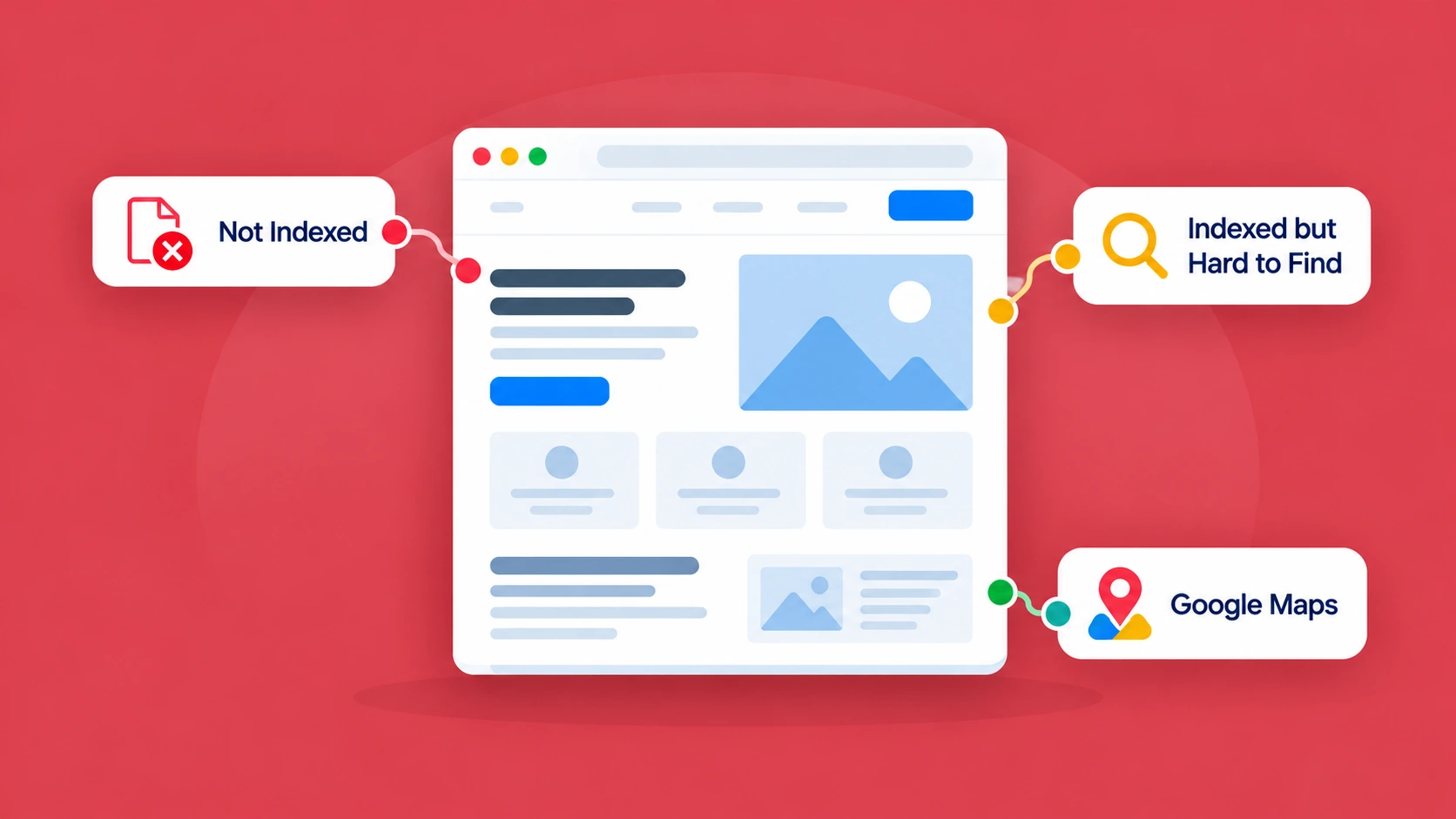
If your business website isn't appearing in Google, start by identifying which of these three situations applies.
Your website isn't indexed
Google may not have discovered the page, may be unable to access it, or may have chosen not to index it
Your website is indexed but hard to find
Google knows about the page, but it may not be competitive or relevant enough for the searches you're trying
Your business doesn't appear in Google Maps
Your Business Profile may be missing, ineligible, unverified, or struggling for local visibility
These problems sometimes overlap. But diagnosing them separately prevents unnecessary work.
The first question isn't "How do I rank higher?" It's "Does Google know about the page I want customers to find?"
Let's start there.
Step 1: Check Whether Google Has Indexed Your Website
Before worrying about rankings, find out whether Google has indexed the important pages on your website.
What does indexing actually mean?
Google Search broadly involves three processes.
1. Discovery and crawling
Google discovers URLs, often through links or sitemaps, and attempts to retrieve their content.
2. Indexing
Google analyzes the content and decides whether to include it in its search index.
3. Serving search results
When someone searches, Google selects results it considers relevant to the query.
These stages are connected, but completing one doesn't guarantee the next. A page can be crawled without being indexed. And a page can be indexed without appearing prominently for a competitive search.
Think of it this way:
Being indexed means Google has included your page in its search index. It doesn't mean Google will recommend your business whenever someone searches for your service.
That distinction matters because the solutions are different.
The quickest way to check your website
You can try a simple Google search using the site: operator. For example:
site:yourbusiness.com
Replace the example with your own domain. This can give you an indication of pages Google may be showing from your website. You can also search for an exact page URL.
However, the site: operator isn't a complete or definitive indexing report. Google doesn't necessarily display every indexed URL through this type of search. So if a page doesn't appear, don't immediately assume something is broken.
For a more reliable diagnosis, use Google Search Console.
Step 2: Use Google Search Console to Check the Actual Page
Google Search Console is a free service that helps website owners understand how their websites appear in Google Search. If you haven't set it up, it's worth doing. You'll need to add your website as a property and verify that you control it. Verification doesn't automatically improve your rankings. It gives you access to Google's information about your website.
How to inspect a page
Once you have access:
- Open Google Search Console.
- Select your website property.
- Find the URL Inspection field near the top.
- Enter the complete URL of an important page, including https://.
- Review the indexing result and the details Google provides.
These answer different questions. A live test is not confirmation that the page is indexed.
Start with your homepage. Then inspect an important service page. For example, a plumbing company might inspect its drain-cleaning service page rather than immediately checking every blog article.
What the results mean
You might see a message indicating that the URL is on Google. That's encouraging. It generally means Google has indexed the URL.
But remember: being indexed doesn't guarantee that the page will appear for every search or achieve a particular ranking.
You may instead see that the URL isn't on Google. In that case, look at the reason provided.
Search Console can also show information such as:
- Whether Google successfully retrieved the page.
- Whether indexing is allowed.
- Whether the page redirects elsewhere.
- Which URL Google considers canonical.
- When Google last crawled the page.
You can also use Test Live URL to check aspects of the page's current accessibility. But be careful with the result.
URL is available to Google in a live test does not mean Google has already indexed it.
The live test checks current accessibility and selected requirements. Google's actual indexing decision is separate.
Google explains this in its URL Inspection documentation.
Why Google Might Not Be Indexing Your Website
There isn't one universal reason. Sometimes the website is new. Sometimes Google has discovered the page but hasn't processed it yet. Sometimes a technical setting prevents indexing. And sometimes Google has decided that another URL should represent similar content.
Here's how to interpret several common situations.
| Search Console finding | What it generally means | What to investigate |
|---|---|---|
| Discovered – currently not indexed | Google knows about the URL but hasn't crawled it yet | Website accessibility, discovery, internal links, and time since publication |
| Crawled – currently not indexed | Google has fetched the page but hasn't indexed it | Content usefulness, duplication, website quality, and whether more time is needed |
| Excluded by noindex tag | The page tells search engines not to index it | Whether the indexing restriction was intentional |
| Blocked by robots.txt | Crawling is restricted by a website rule | Whether the important page should be crawlable |
| Page with redirect | The URL sends visitors to another address | Whether the redirect points to the correct current page |
| Not found (404) | The requested URL doesn't exist | Broken links, deleted pages, or incorrect addresses |
| Duplicate, Google chose different canonical than user | Google selected another URL to represent similar content | Whether the selected URL is the appropriate one |
Not every excluded page is a problem. Your website may have duplicate URLs, old pages that correctly redirect, or private content that shouldn't appear in search results.
The goal isn't to get every URL indexed. It's to make sure the important pages you actually want customers to find are eligible, useful, and accessible.
Let's look at a realistic example.
Example 1: A Cleaning Business That Launched a Website but Can't Find It on Google
Imagine a fictional cleaning company in Charlotte, North Carolina. The owner recently launched a WordPress website. It has a homepage, service pages for residential cleaning and move-out cleaning, and a contact page. Everything works when the owner opens the website directly. But Google isn't showing the homepage.
The first thing I'd check
I'd open Google Search Console and inspect the homepage URL. Suppose the report shows that indexing isn't allowed because a noindex directive is present. That gives us something specific to investigate.
It isn't a problem that will be solved by writing more articles. The website is telling search engines not to include the page in their results.
How could that happen?
Sometimes websites are developed privately before launch. During development, the website manager may configure settings intended to discourage indexing. That's reasonable for a staging website that shouldn't appear publicly.
The problem occurs when an indexing restriction remains in place on the production website.
For WordPress websites, one place worth checking is:
Settings → Reading → Search Engine Visibility
WordPress provides an option called Discourage search engines from indexing this site. When enabled, it can generate instructions asking search engines not to index the website. There may also be indexing controls in an SEO plugin or at the server level.
A developer or website manager should confirm which setting is actually responsible before making changes.
WordPress explains the setting in its Reading Settings documentation.
What I'd do next
If the restriction was accidental, the appropriate website setting should be corrected.
Then I would:
- Test the live homepage URL again.
- Confirm that Google can access it and that indexing is allowed.
- Check the site's sitemap and important internal links.
- Request indexing through Search Console if appropriate.
- Monitor the result rather than repeatedly submitting the same request.
Google may need time to process the change.
Removing a technical restriction makes indexing possible. It doesn't guarantee that Google will index the page immediately.
The lesson
For this cleaning business, the first useful investment isn't a new blog post, another service page, or a more expensive SEO package. It's identifying and correcting the setting that's preventing an important page from being indexed.
That is why technical checks sometimes need to come before content improvements.
Five Technical Issues Worth Checking Before Creating More Content
If an important page isn't indexed, these are common areas to investigate.
1. Accidental noindex instructions
A noindex directive tells supporting search engines not to include a page in their search index. It may be placed in page metadata or an HTTP response header. It can be useful for pages that shouldn't appear publicly in search results. But if an important service page has an accidental noindex instruction, that's a problem.
The correct next step is to identify where the directive is coming from and decide whether it should be removed.
There's an important technical detail: Google generally needs to be able to crawl a page to see its noindex instruction. Blocking crawling through robots.txt can prevent Google from seeing that directive. So changing crawl and indexing rules without understanding them can make the situation more confusing.
Google explains this in its noindex documentation.
2. Crawling restrictions
A robots.txt file can tell search engine crawlers which parts of a website they should not crawl. That can be useful. But an overly broad rule may prevent Google from accessing important content.
It's worth knowing that robots.txt is primarily a crawling-control mechanism, not a reliable way to keep a URL out of search results. If Google discovers a blocked URL through other links, the URL may still be known even when Google can't crawl its content.
If an important service page is blocked, a developer or knowledgeable website manager should review the rule before changing it.
3. Broken pages and redirects
Sometimes a page doesn't appear because it no longer exists at the address you're checking. Maybe the URL changed during a redesign. Perhaps an old service page was deleted. Or a redirect points somewhere unexpected.
For example, if the original URL was:
/services/drain-cleaning
and the page moved to:
/drain-cleaning
the old URL may need an appropriate permanent redirect to the relevant new page. The goal isn't to keep both URLs indexed. It's to help visitors and search engines reach the correct current page.
A redirect should lead to a genuinely relevant replacement, not automatically send every removed page to the homepage.
4. Duplicate pages and canonical URLs
A website sometimes has multiple URLs containing the same or very similar information. For example, a page might be accessible through different URL variants. Google may select one URL as the canonical version. The other versions may not be indexed separately. That's often normal.
But problems can arise when important pages accidentally point to an unrelated canonical URL, or Google selects a different page from the one the website owner intended.
A canonical tag is a strong signal of preference, but it isn't an absolute command. Google may choose another version.
The useful next step is to check which URL Google selected and whether that selection makes sense.
5. Pages Google hasn't discovered properly
A page might be published but difficult to find through the website. Perhaps it isn't linked from the homepage, main service pages, or navigation. It may also be missing from the sitemap.
A clear internal linking structure can help search engines discover important pages and help visitors reach them.
For example, if a plumbing business has a drain-cleaning page, that page should usually be accessible from relevant service navigation or other useful pages. It shouldn't exist as an isolated URL nobody can find.
What about XML sitemaps?
An XML sitemap can help Google discover URLs on your website. Most modern website platforms and SEO plugins can generate one. You can submit the sitemap through Search Console.
But here's what it doesn't do:
A sitemap doesn't guarantee indexing, and submitting one doesn't automatically improve rankings.
Google still decides which URLs to crawl and index. The same principle applies to requesting indexing manually. Google's recrawling guidance explains that requests can take time and don't guarantee inclusion.
Example 2: A Plumbing Business Is Indexed but Still Can't Be Found for Its Services
Now imagine a different situation. A plumbing company in Phoenix, Arizona, has a website that's been online for several years. The homepage is indexed. Its main pages are indexed. Google Search Console shows that the website has received impressions and some clicks. There doesn't appear to be a major indexing restriction.
But the owner searches for drain cleaning Phoenix and can't find the business among the prominent results. The owner assumes something is technically wrong. But is it? Not necessarily.
Indexing and ranking are different
If Google has indexed the page, the next question is whether the page is relevant and competitive for the search.
Imagine the plumbing company's homepage uses this headline:
Professional Solutions for Your Home
And its services section says:
We provide outstanding plumbing solutions tailored to your needs, with reliable service and customer satisfaction.
That description doesn't clearly explain the company's drain-cleaning service. Perhaps drain cleaning appears only in a short list. There may be no dedicated page discussing the service, the actual problems the business handles, or its service area. A person looking for drain cleaning may find much clearer information on competing websites.
What I'd investigate
I would start by looking at the search queries associated with the site's important pages.
- Does Search Console show impressions for drain-cleaning searches?
- Which page is appearing?
- Is it the homepage, an appropriate service page, or an unrelated article?
I'd then review the content.
- Does the page explain drain cleaning properly?
- Does it describe the problems the company handles?
- Does it accurately explain where the business operates?
- Can someone quickly understand how to book the service?
- And are the relevant pages connected through useful internal links?
What I'd improve first
In this hypothetical example, the priority might be a stronger drain-cleaning service page.
It could explain:
- The types of drain problems the company handles.
- The service process and what customers can expect.
- The genuine service area.
- Relevant qualifications and experience.
- Answers to common customer questions.
- A clear way to request help.
It should reflect what the company actually provides, rather than repeat drain cleaning Phoenix in every paragraph. If an existing page already covers the service, improving that page may be better than creating another.
For a practical walkthrough, our guide to writing a service page that attracts the right customers shows how to turn a vague page into a useful commercial resource.
The lesson
This company doesn't necessarily have an indexing problem. Google knows about the website. The question is whether the existing content gives Google and potential customers enough reason to consider it relevant.
A page can be technically accessible and indexed but still need substantial SEO improvements.
And improving its service information may be more valuable than searching for another technical setting to change.
How to Tell Whether Your Problem Is Visibility Rather Than Indexing
If Search Console confirms that your important pages are indexed, use its Performance report to investigate what happens next. You don't need to understand every graph immediately. Focus on a few useful questions.
Which searches are associated with your website?
Search Console can show queries for which your website receives impressions and clicks. For example, perhaps an electrician's website receives impressions for its business name but very few for switchboard upgrades. That suggests the website is being found under some circumstances, but may have limited visibility for an important commercial service.
It doesn't prove why. It tells you where to investigate.
Which pages are appearing?
Look at the pages receiving impressions. If your homepage appears for most service-related searches, perhaps some important services deserve clearer dedicated pages. If relevant service pages already exist, examine whether they adequately answer what customers are looking for.
Are the searches relevant to your business goals?
A business might receive traffic for general informational topics but little visibility for commercially important services. For example, a plumbing article about household water conservation might attract visitors who aren't looking to hire a plumber. That content can still be useful. But it doesn't replace the need for clear pages about the services the company provides.
Are you comparing the right locations?
Google search results can vary based on a person's location, language, device, and other factors. A business might appear differently to someone searching from another city.
Don't treat one manual Google search from your own computer as a definitive ranking report.
Search Console provides a broader picture of recorded search activity, although its metrics also have limitations.
Should you publish more articles?
Maybe. But not automatically.
If your important services are poorly explained, improving the commercial pages could be the better first move. If your service pages are already strong and customers regularly ask useful questions, supporting articles might deserve attention.
Our beginner's guide to SEO for small service businesses explains how to choose between those improvements.
Example 3: A Business Coach Who Can't Find Their Business in Google Maps
Let's look at a third situation. A business coach in Austin, Texas, works with clients throughout the United States. The coach provides all sessions online. There's no client-facing office, and customers don't meet the coach in person. The website is indexed. Some pages appear in ordinary Google search results. But the coach searches Google Maps and can't find a business listing.
They start worrying that Google hasn't recognized their business. Yet this may not be a website SEO problem at all.
Google Maps works differently
Google Business Profile helps eligible businesses manage how they appear in Google Search and Maps. But not every business qualifies.
Google's eligibility guidance says that online-only businesses without the required face-to-face customer contact aren't eligible for a Business Profile. That means our hypothetical coach shouldn't create a fake office address or virtual local presence simply to appear in Maps.
An online-only business can have a legitimate website and pursue organic SEO without being eligible for a Google Business Profile.
The two are separate.
What if the business does serve customers in person?
Now imagine a residential cleaning company that visits customers at their homes. That is a different business model. It may be eligible for a service-area Business Profile if it meets Google's requirements.
If customers aren't served at the company's address, the address should generally be hidden from public display. The business should represent its real operations, use accurate contact details, and comply with Google's verification and eligibility rules. It shouldn't create a separate profile for every city it serves without a legitimate eligible business location.
Why an eligible business might still struggle in Maps
Google says local rankings are mainly influenced by:
- Relevance: How well the business matches what someone is searching for.
- Distance: How far the business is from the searcher or the relevant search location.
- Prominence: How established or well-known the business appears to be.
Complete, accurate business information and genuine customer reviews can be useful. But creating location pages doesn't move your business geographically, and selecting more service areas doesn't guarantee map rankings.
See Google's guidance on improving local ranking.
The lesson
If the business is online-only, the solution may be to stop treating Maps as the primary opportunity and focus on relevant organic visibility. If the business is eligible for a Business Profile, review the actual profile status, verification, business details, and local search factors. If the website itself isn't indexed, that's a separate issue again.
Don't use a website indexing solution to solve a Business Profile problem, or create unnecessary location pages to compensate for an ineligible listing.
For a deeper explanation of genuine service areas and location pages, see our guide to targeting multiple cities for SEO.
A Practical Troubleshooting Guide: What Should You Fix First?
By now, the distinction between the three problems should be clearer. But what does that mean for your own website? Here's how I'd approach it.
| What you discover | What to do next | Who may need to help |
|---|---|---|
| Your website is new and Google hasn't crawled it yet | Check accessibility, links, and sitemap; request indexing if appropriate, then monitor | Owner or website manager |
| An important page has an accidental noindex instruction | Confirm and correct the relevant indexing setting | Website manager or developer |
| An important URL has a crawl restriction | Review whether the restriction is intentional | Developer or technical SEO specialist |
| A page is returning 404 or redirecting incorrectly | Restore the correct page or fix the relevant redirect | Website manager or developer |
| Google selected a different canonical page | Check whether the alternate URL is the correct preferred version | SEO specialist or developer if needed |
| The page is indexed but poorly explained | Improve its service information, relevance, and customer experience | Owner, writer, or SEO provider |
| Important services have no useful pages | Consider creating relevant service pages | Owner, writer, or SEO provider |
| The business is eligible for Maps but its profile has issues | Review eligibility, verification, and accurate business information | Business owner or authorized profile manager |
| The business is online-only and not eligible for Maps | Focus on suitable organic search and other acquisition channels | Owner or marketing specialist |
Not every problem needs a developer. But not every problem should be handled by changing settings at random.
If you're unsure about a technical restriction, get someone qualified to review it before making a change that could affect the whole website.
What If Your Website Is on WordPress?
WordPress makes it possible for business owners to manage many parts of their website without writing code. But it doesn't remove the need for technical checks. If your WordPress website isn't showing up on Google, these are reasonable starting points.
Check the website visibility setting
In your WordPress administration area, review the Search Engine Visibility option under Settings → Reading. If the site is public and intended to appear in Google, an indexing-discouragement setting may warrant investigation. Be careful not to alter legitimate restrictions on staging or private websites.
Check individual page settings
Some WordPress SEO plugins allow pages or posts to be marked as noindex. An important service page could accidentally have a restriction even if the rest of the website is accessible. Check the specific page's settings if Search Console reports an indexing issue.
Check the page's publication status
A page saved as a draft isn't the same as a published page. Make sure the intended public URL exists and is accessible without logging in.
Check URLs and redirects
WordPress websites sometimes change permalinks during redesigns or content restructuring. If a page moved, confirm that its redirects and internal links point to the correct current URL.
Check navigation and internal links
Important pages should be reachable through useful navigation or contextual links. A published page that has no links pointing to it may be harder for visitors and search engines to discover.
Check the sitemap
Your WordPress installation or SEO plugin may provide an XML sitemap. Confirm that it contains the appropriate current URLs and doesn't rely on outdated addresses. You don't need to submit the same sitemap repeatedly.
When do you need a developer?
Technical issues involving server configuration, complex redirects, JavaScript rendering, custom themes, repeated server errors, or complicated migrations may require specialist help.
The objective is to identify a genuine problem rather than assume every Search Console warning needs immediate development work.
Five SEO Mistakes to Avoid When Your Website Isn't Showing Up
When a business owner can't find their website in Google, it's understandable to want a quick fix. But some common reactions can waste time.
Mistake 1: Publishing dozens of articles to solve an indexing problem
If your important pages are accidentally marked noindex, writing more articles won't correct that configuration. Investigate the restriction first.
Mistake 2: Requesting indexing repeatedly
Requesting indexing through Search Console can be useful after publishing or fixing a page. But repeated requests don't guarantee faster crawling or indexing. Fix the underlying issue, submit an appropriate request where useful, and monitor the result.
Mistake 3: Assuming every excluded page is a problem
Google doesn't need to index every URL on your website. Duplicate URL variants, properly redirected old pages, and intentionally private pages may have valid reasons for not being indexed. Focus on important pages you actually want customers to discover.
Mistake 4: Confusing Maps rankings with website rankings
A website can perform in organic search without having a Google Business Profile. And a Business Profile can be visible in Maps without every page on the associated website ranking well. Treat them as related but different channels.
Mistake 5: Paying for technical SEO without understanding the problem
Technical SEO can involve important specialist work. But a business owner should still understand what the provider has found and why the proposed fix matters. If someone recommends a major website rebuild, ask what evidence supports that recommendation. Sometimes the fix is relatively focused. Sometimes the website genuinely needs substantial technical work.
The useful question is whether the proposed solution matches the actual problem.
How to Know Whether Your Fix Worked
Let's say you've discovered a problem and corrected it. What happens next? Start by checking whether the technical change is actually in place.
- If a page had an accidental noindex instruction, confirm that the restriction has been removed.
- If a redirect was incorrect, test the old and new URLs.
- If a page wasn't accessible, confirm that it now loads successfully.
Then use Search Console to monitor what Google reports.
Technical success and SEO success aren't the same
Imagine your cleaning company's homepage had an indexing restriction. The restriction is removed, Google crawls the page, and eventually the page becomes indexed. That's a meaningful technical improvement.
But it doesn't automatically mean the business will immediately appear near the top for house cleaning Charlotte. The site may still need stronger service pages, relevant business information, useful internal links, and other SEO work.
Think of progress in stages:
- Technical access: Can Google discover and retrieve the page?
- Indexing: Has Google included the relevant URL in its index?
- Search visibility: Is the page appearing for relevant searches?
- Business value: Are suitable visitors reaching the website and making genuine enquiries?
Each stage tells you something different. And none of these metrics should be treated as a guaranteed outcome of one change.
How long should indexing take?
There isn't a guaranteed timeline. A newly published or updated page may be crawled within days, while other pages can take longer.
Requesting indexing or submitting a sitemap doesn't guarantee immediate inclusion.
If you've confirmed that Google can access a useful, indexable page, allow time for processing and continue monitoring Search Console. If the problem persists, investigate the reported reasons rather than repeating the same request indefinitely.
How Blue Kite SEO Can Help You Decide What to Work On
This is where SEO becomes more than a collection of technical checks. For some websites, the first priority really is a technical problem. For others, Google can already access and index the important pages, but the business needs clearer service information, stronger website structure, or more relevant content. The challenge is knowing the difference.
Blue Kite SEO is designed to help small service businesses turn their business knowledge and existing website into an SEO Strategy and ongoing monthly work.
Start with the business
You provide information about your services, customers, locations, and priorities through your Business Profile and Strategy Setup. That context matters because a website improvement should serve an actual business need.
Review the available website evidence
Blue Kite SEO reviews the website information it can access. It can identify opportunities involving existing content, missing information, overlapping pages, or website structure.
However, its Website Review isn't a substitute for an exhaustive technical audit, and it shouldn't claim that something is missing when the available evidence is incomplete. Some problems require further investigation through Search Console, a developer, or a technical SEO specialist.
Build the SEO Strategy
The Strategy helps organize opportunities into a sensible direction.
For example, a website may need:
- Stronger service pages.
- Improvements to existing content.
- Clearer service-area information.
- Better internal linking.
- Missing supporting pages.
- A technical issue investigated before further content work.
The Strategy should explain what deserves attention and why.
Turn that direction into monthly priorities
Blue Kite SEO uses the Strategy to create a Monthly SEO Plan. The plan focuses on useful next steps rather than automatically creating a fixed number of articles every month. When eligible content work is identified, the platform can prepare new or improved pages and supporting articles for review.
With a compatible connected WordPress website, supported publishing and website updates, including certain link, menu, and redirect changes, can be carried out with your approval. Other work may require your website manager, developer, or another specialist.
Know what the platform doesn't replace
Blue Kite SEO isn't a full-service technical SEO agency. It shouldn't be presented as automatically diagnosing or fixing every indexing problem, Google Business Profile issue, server configuration, or website rendering error. For example, if your entire website is inaccessible to Google because of a complicated technical problem, you may need an experienced developer to address the underlying issue.
But if your website is technically accessible and the main opportunity is improving important pages, creating missing service information, or organizing ongoing SEO work, a strategy-led platform can help manage those improvements.
The value is knowing what needs attention and getting more of the appropriate work prepared, rather than simply producing more content.
You can learn more in How Blue Kite SEO Works.
Website Not Showing on Google? Your Troubleshooting Checklist
Use this checklist before investing in another SEO service or making major changes to your website.
You don't need every page on your website to be indexed. You need the right pages to be accessible, useful, and relevant to the customers you're trying to reach.
Frequently Asked Questions
Why is my website not showing up on Google even though it's live?
A live website isn't automatically indexed. Google may not have discovered it yet, may be unable to access certain pages, or may have chosen not to index them. The pages may also already be indexed but not rank prominently for your searches. Start by inspecting the relevant URLs in Google Search Console.
How do I get Google to index my website?
Make sure your important pages are public, accessible, and not blocked from indexing. Use clear internal links and an appropriate XML sitemap. You can request indexing for individual pages through Google Search Console. However, Google decides whether and when to index a URL, and no submission guarantees inclusion.
Can a WordPress setting stop my website from appearing in Google?
Yes. WordPress has a Search Engine Visibility option that can ask search engines not to index the site. Individual SEO plugins and server settings can also affect indexing. Use Search Console to identify the actual issue before changing settings.
My page says "Crawled – currently not indexed." What should I do?
This means Google has retrieved the page but hasn't indexed it. Check whether it provides useful, distinct information, whether another page covers the same subject, and whether any technical issue exists. Some pages may also need more time. There isn't one guaranteed fix for this status.
Does submitting an XML sitemap make my website rank higher?
No. A sitemap helps Google discover URLs and understand which pages you want it to consider. It doesn't guarantee indexing or improve rankings simply because it has been submitted.
Why does my business appear when I search its name but not its services?
Your website may be indexed and relevant for its brand name without being competitive for broader service-related searches. Review whether important services have clear, useful pages and whether Search Console shows visibility for the relevant queries.
Why isn't my business showing in Google Maps?
Possible reasons include an ineligible or unverified Business Profile, inaccurate business information, or limited local visibility. Google Maps results depend on factors such as relevance, distance, and prominence. Online-only businesses without qualifying in-person customer contact generally aren't eligible for Business Profiles.
Can Blue Kite SEO fix Google indexing problems automatically?
Blue Kite SEO can review available website evidence, develop an SEO Strategy, plan content and website improvements, and carry out certain approved WordPress changes. It isn't an exhaustive technical SEO diagnostic or repair service. Complex indexing, server, or Google Business Profile problems may require separate specialist investigation.
The Bottom Line: Find the Real Problem Before Paying to Fix It
If your business website isn't showing up on Google, you don't necessarily need a bigger website, more articles, or a more expensive SEO package. You need to understand what's actually happening.
- Perhaps Google hasn't indexed your homepage.
- Perhaps an indexing restriction was left in place after the website launched.
- Perhaps your pages are already indexed, but they don't clearly explain the services customers are searching for.
- Or perhaps you're trying to appear in Google Maps when your business model doesn't qualify for a local listing.
These are different problems. And they need different solutions.
The best first step isn't doing more SEO. It's identifying the obstacle that's actually preventing the website from doing its job.
Once you know that, the next decision becomes much easier.
- Fix the technical problem if one exists.
- Improve your important service pages when the website lacks useful information.
- Review your local business presence if Maps is the issue.
- And when the foundations are working, continue building the website around the services, customers, and opportunities that matter to your business.
That's how SEO becomes a more manageable process rather than a confusing collection of technical recommendations.
Find Out What Your Website Needs Next
Not every website needs more content. Not every website needs complex technical work. And not every business needs a full-service SEO agency to keep making progress.
Blue Kite SEO helps small service businesses review available website evidence, build an SEO Strategy, identify monthly priorities, and prepare supported website improvements. You review the recommendations, request available changes, and decide what goes live.
Understand what needs attention. Prioritize the right work. Keep your SEO moving.
Blue Kite SEO helps plan and prepare supported SEO website work. It doesn't guarantee Google indexing, rankings, Maps visibility, website traffic, or customer enquiries.