How to Target Multiple Cities for SEO Without Creating Duplicate Location Pages
Learn how to target multiple cities for SEO, decide when location pages are useful, and avoid duplicate city pages. Includes practical service-business examples.
In this guide16 sections
- 01Maps and organic search
- 02Three business models
- 03One base, nearby cities
- 04Two genuine offices
- 05Nationwide remote services
- 06The location-page decision
- 07Inside a useful location page
- 08Connect services and locations
- 09Avoid duplicate and doorway pages
- 10Which cities come first?
- 11Your practical action plan
- 12Measure useful outcomes
- 13Where Blue Kite SEO fits
- 14Your multi-city checklist
- 15Frequently asked questions
- 16Target real markets
Your business serves customers in more than one city.
Perhaps you're a plumber based in Dallas who also takes jobs in Plano and Frisco. Maybe you run an accounting firm with offices in Denver and Boulder. Or you're a business coach who works with clients across the United States.
Naturally, you want people in those locations to find your business when they search for the services you offer. So you start looking into local SEO. And before long, you come across a familiar recommendation:
Create a separate page for every city you want to rank in.
At first, it sounds reasonable. If you want to attract customers in Plano, create a Plano page. If you also want customers in Frisco, create a Frisco page. Add another page for McKinney, another for Allen, and keep going.
But what should those pages actually say?
If your services, team, contact information, and working process are essentially the same everywhere, you may end up publishing dozens of pages that differ only by their city names.
The website gets bigger. But is it becoming more useful?
Targeting multiple cities for SEO isn't about how many location names you can put on your website. It's about helping people in the areas you genuinely serve find relevant, trustworthy information about your business.
Sometimes that means creating dedicated location pages. Sometimes one well-written service-area page is enough. And sometimes your business doesn't need city-specific pages at all.
Let's work out which approach makes sense.
Quick Overview
If you serve customers in multiple cities, these are the main things to understand:
- You don't need a separate page for every city. Create location pages when they answer distinct customer needs or provide genuinely useful local information.
- Local SEO and ordinary organic rankings aren't identical. Google Maps and local results consider factors including relevance, distance, and prominence. Adding city pages doesn't automatically overcome those factors.
- Your business model matters. A contractor visiting customers, a firm with multiple staffed offices, and a consultant working remotely may need different geographic strategies.
- Avoid near-identical city pages. Changing a heading and location name across dozens of pages doesn't automatically create useful content.
- Build around real services and service areas. Clear service pages, accurate business information, and helpful internal links are often more valuable than publishing large numbers of location pages.
The goal is to help your website represent where and how your business actually works.
And the best place to start is by understanding what local SEO can and cannot do.
First, Understand How Google Finds Local Businesses
When someone searches Google for a local service, they may see several types of results. For example, a homeowner in Plano might search:
AC repair near me Or: Air conditioning repair Plano TX
Google may show local business listings, map results, paid advertisements, and ordinary organic website results. These results don't all work in exactly the same way.
Google Maps and local business results
Google explains that local rankings are primarily influenced by three factors:
- Relevance: How well a business matches what someone is searching for.
- Distance: How far the business is from the searcher or the location associated with their search.
- Prominence: How well-known or established the business appears to be, based on signals such as reviews, links, and other information.
You can read Google's explanation in its local ranking guidance.
This distinction matters because business owners sometimes assume they can create a location page for every nearby city and automatically become competitive in Google Maps across all of them.
But a website page doesn't move your business's physical location.
And listing more cities in your Google Business Profile doesn't guarantee that you'll rank in those cities.
Organic website results
Organic website results can provide another opportunity. Google may show relevant service pages, location pages, or other useful content that addresses what someone is searching for. For example, a contractor genuinely serving Plano might have a useful page explaining its services in that area. That page could be relevant to people searching for the service in Plano.
But the existence of the page doesn't guarantee visibility. Google still needs to understand the website, assess its relevance, and determine whether it deserves to appear for the search.
Creating a city page is not the same as earning visibility in that city.
That's why we need to make location-page decisions based on genuine customer needs rather than assumptions about what Google will rank.
Three Businesses, Three Different Location SEO Strategies
Before building location pages, consider how your business actually operates. There are three common situations worth separating.
One base, several nearby service areas
HVAC contractor serving Dallas, Plano, and Frisco
Strong service pages, accurate service areas, and selected useful local pages
Multiple genuine physical offices
Accounting firm with staffed offices in Denver and Boulder
Clear office-specific pages, accurate location details, and eligible Business Profiles
Remote services across a wide area
Business coach working with clients nationwide
Service and expertise-led pages, with location content only where genuinely useful
These situations may sound similar because all three businesses serve people in different places. But their customers' expectations are different. Let's look at each one.
Example 1: A Contractor Serving Several Nearby Cities
Imagine a hypothetical HVAC business operating from Dallas, Texas. The company provides air conditioning repair, system installation, and maintenance. Its technicians also visit customers in Plano, Frisco, and selected nearby communities.
The business has one operational base and one team. It doesn't have separate offices in each city.
The owner wants more inquiries from those surrounding areas.
The tempting approach
The owner could create pages such as:
- AC Repair Dallas
- AC Repair Plano
- AC Repair Frisco
- AC Repair Allen
- AC Repair McKinney
Then repeat the process for installation and maintenance. Before long, a business offering three main services across five cities could have fifteen city-and-service combinations.
But here's the problem.
What happens if every page contains essentially the same information?
- The same services.
- The same process.
- The same business description.
- The same testimonials.
- The same booking button.
Only the city name changes.
Those pages may offer little additional value.
Google's spam policies warn against doorway pages created mainly to capture similar searches and funnel visitors elsewhere, as well as scaled content that adds little original value.
That doesn't mean every similar location page is automatically spam. It means the pages need a genuine reason to exist.
A better starting point
For this HVAC business, I would begin with three things.
1. Make the main service pages strong.
The air conditioning repair page should explain what the business actually repairs, who it serves, relevant experience, and how customers can request help.
The installation and maintenance pages should have their own useful information where those services deserve distinct explanations.
2. Explain the genuine service area clearly.
The homepage and appropriate service pages should help visitors understand that the company operates in Dallas and selected nearby communities.
A dedicated Service Areas page can also be useful when the coverage deserves more explanation.
3. Investigate whether particular cities need their own pages.
Perhaps the company has a substantial customer base in Plano, offers a meaningful amount of work there, and can provide useful information specific to serving that area.
That may justify a dedicated Plano page.
But I wouldn't automatically create an equivalent page for every city on the list.
Start with the services people need and the places you genuinely serve. Let those facts determine the website structure.
What about Google Business Profile?
For a service-area business that visits customers but doesn't serve them at its business address, Google generally expects one eligible Business Profile for its operating base and service area, rather than a separate profile for every city it visits.
A business operating from a residential address should hide that address if customers aren't served there.
Google also allows service-area businesses to specify up to 20 service areas, using cities, ZIP codes, or other supported geographic areas. Its general guidance is that the overall service area should usually be within about two hours' driving time of the business base, with some exceptions.
These are Business Profile settings, not permission to create twenty separate business listings.
See Google's guidance for service-area businesses.
The important lesson is that website location pages and Google Business Profile locations serve different purposes.
Example 2: A Professional Firm With Multiple Physical Offices
Now imagine a hypothetical accounting firm with two established offices. One is in Denver. The other is in Boulder. Both offices are genuinely staffed and serve clients at their physical addresses during their advertised hours. The firm offers business accounting, bookkeeping, tax planning, and related professional services.
Should it create separate location pages? In this case, the answer is more likely to be yes.
Why separate office pages can make sense
A potential client in Boulder might want to know:
- Where the Boulder office is located.
- How to arrange an appointment.
- Which services are available there.
- Who they'll meet.
- Whether the office offers in-person consultations.
- Its hours and contact details.
Those are genuinely useful reasons to provide a dedicated page. The Denver office may have different staff, contact information, appointment arrangements, or location details. Rather than repeating the same generic company description, each page can explain the actual experience of working with that office.
What the website could look like
The firm's structure might include:
Main service pages
- Business Accounting
- Bookkeeping
- Tax Planning
Office pages
- Denver Office
- Boulder Office
The main service pages explain the firm's services. The office pages explain where and how clients can access those services.
This is usually a clearer starting structure than automatically creating every possible service-and-city combination.
For example, the firm doesn't necessarily need separate pages for Bookkeeping Denver, Bookkeeping Boulder, Tax Planning Denver, and Tax Planning Boulder if those pages would repeat the same information.
What about separate Google Business Profiles?
Google generally allows separate eligible profiles for genuine business locations that meet its requirements.
However, having a mailing address or renting a virtual office doesn't automatically establish an eligible location.
The business must comply with Google's rules concerning genuine operations, staffing, signage, and customer contact, as applicable.
Its Business Profile guidelines explain the distinction.
The goal is to represent real offices, not manufacture additional local presences. That approach also makes the website more useful for people trying to contact a specific office.
Example 3: A Consultant Working With Clients Nationwide
Now consider a very different business. A business coach lives in Austin, Texas, but provides coaching online to clients throughout the United States. The coach has no client-facing office and doesn't meet customers in person. They specialize in helping owners of established service businesses develop stronger management teams and delegate more effectively.
They could technically work with someone in New York, Chicago, Miami, or Seattle. Does that mean they need pages targeting all four cities? Probably not.
The more relevant question is what the coach offers
A business owner searching for leadership coaching may care more about the coach's expertise, approach, experience, and suitability than whether the coach lives in the same city.
The website could focus on:
- Leadership coaching for business owners.
- Delegation and management development.
- Coaching for established service businesses.
- How the coaching program works.
- Relevant experience and client questions.
The website can clearly explain that coaching is delivered remotely to clients across the United States. But that doesn't require individual landing pages for every major city.
A page called "Business Coach Chicago" could be misleading if it implies a meaningful local presence that doesn't exist.
What about Google Business Profile?
A business that operates entirely online, without the required in-person customer contact, is generally not eligible for a Google Business Profile.
That doesn't prevent it from having a website or pursuing relevant organic search visibility. It simply means the business shouldn't create a local listing that doesn't meet Google's eligibility requirements. Google explains this in its Business Profile eligibility guidance.
For a nationwide online service, expertise and customer needs may be more useful SEO priorities than city names. That's why the geographic strategy should follow the business model.
When Does a City Deserve Its Own Location Page?
Now that we've seen three different situations, let's return to the original question. When should you actually create a location page? I would evaluate it using five questions.
1. Do you genuinely serve customers there?
This is the first requirement. If you don't offer the service in a particular city, creating a page designed to attract customers there isn't a sensible strategy. The page should accurately reflect your service coverage, availability, and operations.
2. Is the location commercially important?
Not every city within driving distance is necessarily a priority. Perhaps one area already generates substantial work. Another may be part of your planned expansion. A third may be technically within reach, but you rarely accept jobs there. Your business priorities should influence which locations receive attention first.
3. Do customers in that area have useful questions to answer?
A location page becomes more valuable when it helps someone understand what your business offers in that specific area.
For example:
- Is the service available at their address?
- Does the company operate there regularly?
- Are appointments arranged differently?
- Are there genuine local examples of completed work?
- Is there information about the relevant office or team?
These details should be based on actual business operations, not invented to make the page look unique.
4. Can the page offer something beyond a different city name?
This is the most revealing question. If you remove the city name from your proposed page, is there any meaningful difference between it and the other location pages? If the answer is no, reconsider whether the page needs to exist.
You may be better off strengthening a broader service-area page or improving an existing service page.
5. Does another page already satisfy the need?
Before publishing something new, review what's already on the website. Perhaps your main service page explains the area and the service well enough. Perhaps an existing office page needs improving. Or perhaps a dedicated location page would genuinely make the site easier to navigate.
Create the new page only when it has a distinct purpose.
A practical location-page decision table
| Situation | Recommended approach |
|---|---|
| You serve a nearby city but have little location-specific information | Include it accurately within your service-area information |
| You have meaningful service activity and useful local details | Consider a dedicated city page |
| You have a genuine staffed office | Consider an office page with its own accurate details |
| You offer services nationwide online | Focus primarily on services, expertise, and customer needs |
| You want pages for dozens of cities with only the names changed | Reconsider the plan before creating them |
There isn't a universal number of location pages a business should have.
A business with two genuine offices might benefit from two detailed office pages. A contractor serving fifteen nearby cities might need only a few carefully chosen location pages. And an online consultant might not need any.
What Should a Good Location Page Actually Include?
Let's return to our hypothetical Dallas HVAC contractor. Suppose its business records confirm that Plano is an important service area, and the company has enough real information to justify a dedicated page. What could that page contain?
Example: Air Conditioning Services in Plano, TX
Opening section
Clearly explain that the company provides relevant HVAC services in Plano and which types of customers it serves.
Avoid claiming to have a Plano office if it doesn't.
Services available
Explain the actual services offered to customers in Plano, linking to the relevant detailed service pages.
For example, air conditioning repair, maintenance, and installation, if the company genuinely provides all three.
How appointments work
Tell customers how to request service, how availability is confirmed, and anything important about scheduling in that area.
Relevant local experience
If the business has permission to share genuine project examples, photographs, or customer feedback from Plano, those could help.
Don't invent local projects or testimonials simply to populate the page.
Service coverage
Clarify the actual parts of Plano served and any genuine geographic limitations.
Useful questions
Answer practical questions customers in the area regularly ask, where the answers differ meaningfully from what is already explained elsewhere.
Contact options
Give visitors an obvious way to request help.
The result should feel like useful information from a company that genuinely serves the area. Not a generic page where every mention of Dallas has been replaced with Plano.
What I wouldn't add just for SEO
I wouldn't automatically add:
- A long list of ZIP codes repeated across every page.
- Several paragraphs about the city's history.
- Generic claims that the company is the best in the area.
- Stock photographs presented as completed local projects.
- A false local office address.
- Repeated service keywords inserted unnaturally throughout the page.
The content should be there because it helps customers, not because somebody believes every location page must contain a certain number of words.
Location Pages vs Service Pages: How Should You Organize Your Website?
This is another area where businesses can make their sites unnecessarily complicated. Think about the different jobs the pages perform.
- A service page answers: What does this business offer, and how can it help me?
- A location page answers: How does this business serve customers in this particular area?
The two subjects are connected, but they aren't automatically interchangeable.
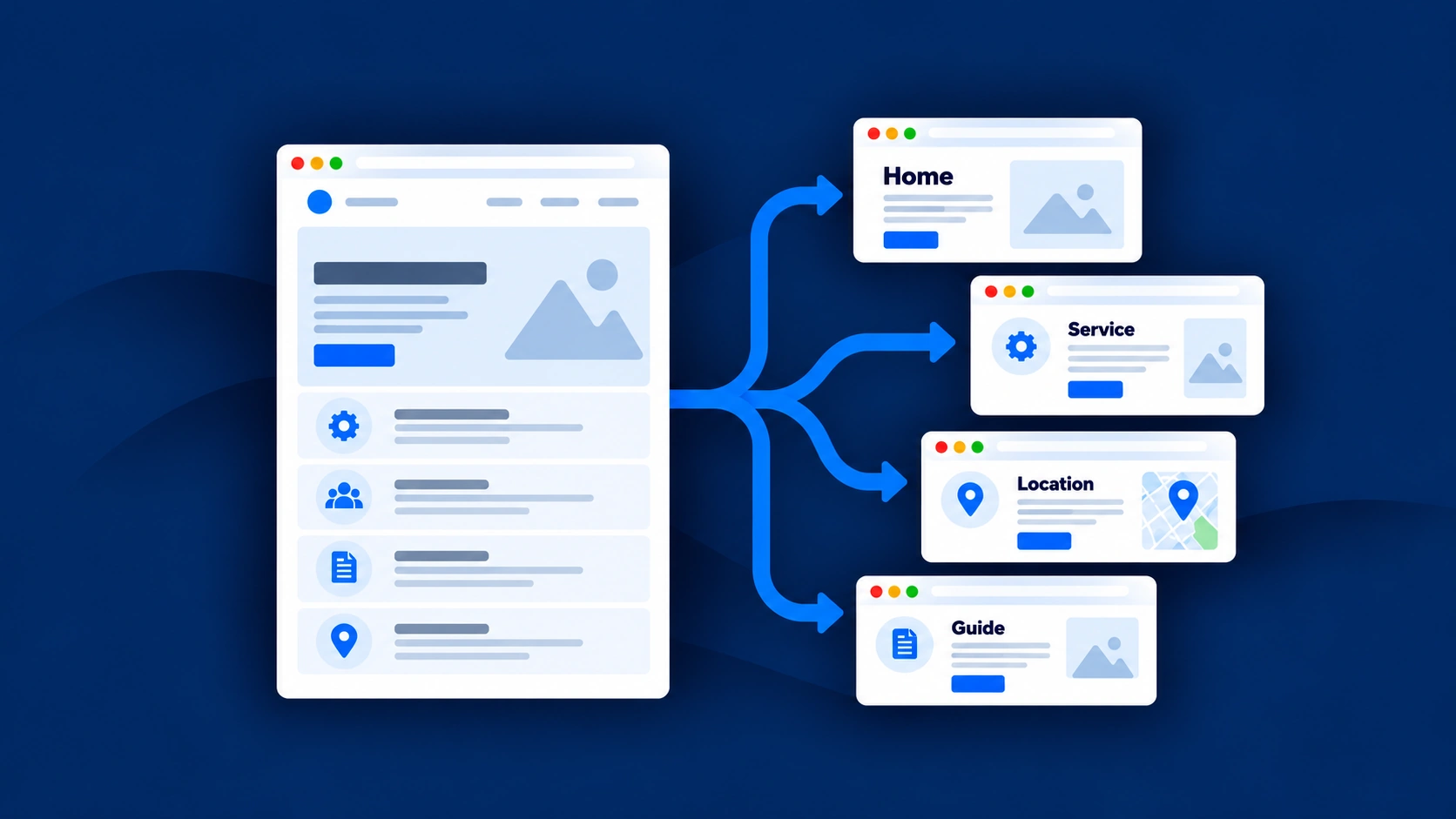
A simple website structure
For our HVAC example, the initial structure might be:
Homepage
/Main service pages
- /services/ac-repair
- /services/ac-installation
- /services/hvac-maintenance
Service-area overview
- /service-areas
Selected location pages, when justified
- /service-areas/plano
- /service-areas/frisco
These are illustrative URLs, not a required template.
There's no need to reorganize an existing website simply to copy this structure if its current URLs and navigation already work well.
The important thing is the relationship between the pages. The homepage should lead naturally to the important services. The service pages should explain the work. The service-area overview should communicate geographic coverage. And any dedicated city pages should provide genuinely useful local information.
Use internal links to connect related information
- For example, the main AC repair page might link to the Service Areas overview.
- A useful Plano location page could link to the relevant AC repair page.
- The homepage could link to important services and genuine office or location information.
Google recommends clear site organization and descriptive, contextual links in its SEO Starter Guide.
The goal is to make the website easy to understand. Not to create dozens of pages that all link to one another simply because they contain city keywords.
How to Avoid Duplicate and Doorway Location Pages
You may have heard that Google penalizes websites for duplicate content. The reality is more nuanced.
Having similar wording on different pages isn't automatically a penalty. For example, two genuine office pages might share information about the same firm, services, or company background. That's reasonable.
The concern becomes greater when pages are created primarily to target many similar searches without providing meaningful additional value.
Google calls certain patterns of this behavior doorway abuse.
Consider two approaches
Approach A: Fifty pages created by changing city names
A contractor generates fifty pages using the same template.
Every page describes the same services, team, process, and benefits.
There is little information about the specific area.
All pages funnel visitors into the same generic inquiry process.
The purpose appears to be creating more opportunities to capture city-based searches rather than helping customers.
Approach B: A focused group of useful location pages
The same contractor creates a service-area overview and a few selected pages for locations where it has meaningful operations and genuinely relevant information.
Each page serves a clear purpose.
Visitors can understand what the business does in that area, what to expect, and how to arrange service.
This is a more defensible approach because the pages exist to help people.
The distinction is not simply the number of pages. It's why the pages exist and whether they provide meaningful value.
Can AI help create location pages?
Yes, provided the strategy and source information are sound. AI can help organize real business details and prepare drafts.
But it shouldn't invent service coverage, local experience, offices, customer reviews, or project examples.
And automated content generation shouldn't be used to manufacture hundreds of near-identical pages without a genuine customer purpose.
If an AI tool suggests creating dozens of city pages, ask why each one is necessary.
How to Choose Which Cities to Target First
Let's say your business serves twelve cities. You don't need to work on all twelve simultaneously. Start by assessing where the best opportunities may exist. I'd consider four factors.
Business value
- Which cities already generate valuable customers?
- Where does the business want more of the right work?
- Are there locations where it has sufficient operational capacity?
Genuine service coverage
Can you actually deliver the services in those areas? Are there travel limitations, booking conditions, or other considerations customers should understand?
Search opportunities
- Do people search for your services using those city names?
- What types of results appear?
- Are they looking for nearby businesses, specialist providers, or information about a service?
Search Console can reveal location-modified queries associated with your website. Other research and customer conversations can help you understand local demand.
But search volume alone shouldn't determine the strategy.
Existing website gaps
- Does the site already explain the service and location effectively?
- Would improving an existing page solve the problem?
- Or is genuinely important information missing?
A simple prioritization example
Imagine our HVAC business is considering three surrounding cities.
| Location | What the business knows | Possible SEO priority |
|---|---|---|
| Plano | Regular customer work, clear service coverage, useful local examples | Investigate a dedicated location page |
| Frisco | Existing customers, but most information is already explained on the main service pages | Strengthen service-area information first |
| McKinney | Limited current work and uncertain future availability | Confirm business priorities before investing in a page |
This is hypothetical, but it demonstrates the decision-making process.
A city shouldn't become a content priority solely because a keyword tool displays search volume.
A Practical Multi-City SEO Plan for a Service Business
Once you've chosen your priorities, the work becomes easier to organize. You don't need to launch a large location-page project immediately.
Step 1: Confirm your real operating areas
List the locations your business actually serves.
Separate places where you regularly work from areas you might occasionally accept jobs.
Check whether your website currently communicates that coverage accurately.
Step 2: Review the important service pages
Do they explain what you offer?
Are they useful to the customers you're targeting?
Do visitors understand how to inquire?
If the main commercial pages are weak, improving them may deserve attention before adding city pages.
Our guide to writing a service page that attracts the right customers explains how to approach that work.
Step 3: Review Google Business Profile eligibility and accuracy
If your business is eligible, make sure its profile reflects the genuine business type, location, service areas, and contact information.
Don't create additional listings for cities where you don't have eligible operations.
Remember that a service area is not a guaranteed local ranking zone.
Step 4: Decide whether you need a service-area overview
A clear overview can help people understand the geographic coverage of the business.
It can also provide a useful place to link to legitimate office or location pages.
Not every website needs one, but it can become useful when service coverage is an important part of the customer's decision.
Step 5: Select only the city pages that have a reason to exist
Use the five-question test discussed earlier.
If a page cannot provide meaningful local value, reconsider creating it.
Step 6: Connect the pages naturally
Make sure important services and location information can be found through the website's navigation and relevant internal links.
Don't leave useful pages isolated.
Step 7: Review performance and decide what comes next
After publishing or improving the pages, check that they are accessible and functioning correctly.
Use the available evidence to understand whether relevant searches and customer inquiries are developing.
Then reassess priorities.
The next useful improvement might be another location page.
Or it might be an existing service page, contact process, technical issue, or helpful supporting article.
The goal is to build visibility through useful improvements, not through a fixed quota of city pages.
How Do You Know Whether Your Multi-City SEO Is Working?
Local SEO performance can be difficult to interpret if you're only looking at one number. For example, a new city page might begin receiving impressions in Google Search. That's encouraging, but it doesn't automatically mean the page is generating customers. Likewise, a business might receive more website visits without knowing whether those visitors are within its actual service area.
I'd monitor the available evidence in three areas.
Search visibility
Google Search Console can help you understand which pages receive impressions and clicks, along with location-modified search queries where available.
Local business performance
Eligible Google Business Profiles provide performance information that can help businesses understand interactions with their profiles. But those numbers don't establish that a specific website page caused a change in local rankings.
Customer inquiries
Where tracking is properly configured, you may be able to examine form submissions, booking requests, or other relevant contact actions.
A phone-link click doesn't confirm a completed phone call, and an inquiry isn't automatically a qualified lead.
Also, some customers may contact the business through Google Maps without visiting the website.
For businesses operating across multiple cities, it can be useful to record which locations genuine inquiries come from, when customers provide that information.
Over time, ask:
- Are the right customers finding the business?
- Are the relevant service and location pages becoming more useful?
- Do we have evidence that certain geographic areas deserve more attention?
- And is our website accurately representing the business?
Those questions matter more than simply counting how many location pages have been published.
Where Blue Kite SEO Fits Into a Multi-City Strategy
This is where the planning process becomes important. A business might serve ten cities, but that doesn't mean it needs ten new pages. And it certainly doesn't mean it needs every possible combination of city and service.
Blue Kite SEO starts by learning about the business rather than beginning with a list of content targets. Through your Business Profile, you provide information about your services, customers, locations, and priorities. The platform reviews available website evidence and builds an SEO Strategy around what it finds.
For example, it might identify that:
- Important services need clearer pages.
- The website doesn't explain its real service areas well.
- A particular location page may be justified.
- Existing pages already cover some proposed topics.
- Certain content needs improving instead of duplicating.
- Other website changes deserve attention before more content is created.
The Strategy provides the broader direction. The Monthly SEO Plan then prioritizes what deserves attention next.
When an eligible page or article needs creating or improving, Blue Kite SEO can prepare the draft for your review. With a compatible connected WordPress website, it can also carry out supported publishing and website updates with your approval. For websites on other platforms, it can prepare content and relevant instructions for you or your website manager.
You remain responsible for providing accurate business and location information and deciding what goes live.
A practical example
Imagine the Dallas HVAC contractor adds its genuine service areas to Blue Kite SEO. The platform reviews its website and finds that AC repair is poorly explained, while the company already has a reasonable homepage. Rather than automatically preparing five city pages, the Strategy may recommend strengthening the existing AC repair page first. A later Monthly SEO Plan might identify a genuine opportunity for a more detailed Plano page. The business owner can review that recommendation, provide any necessary local information, and decide whether the proposed work accurately reflects the company.
The purpose is not to produce the most location pages. It's to make the website represent the business more clearly and help get the right work done.
That's how a strategy-led approach differs from simply generating city pages around every available keyword.
You can explore the full process in How Blue Kite SEO Works.
Multi-City SEO Checklist: What Should You Do Next?
Use this checklist before beginning a location-page project.
You don't have to complete every possible location page before making progress.
Start with the work that has the clearest purpose.
Frequently Asked Questions About Multi-City SEO
Can my business rank in multiple cities without having an office in each one?
Yes, it may be possible for your website to appear in organic search results for relevant services in cities where you genuinely operate, even without an office in each city.
However, Google Maps and local business rankings are influenced by factors including relevance, distance, and prominence. Creating city pages doesn't guarantee local map visibility.
Do I need a separate SEO page for every city I serve?
No. A clear service-area overview and strong service pages may be sufficient for some businesses.
Create individual city pages when they provide genuinely useful information that deserves its own page.
Is it bad for SEO if my location pages have similar content?
Not automatically. Genuine offices or service areas may share information about the same business.
The greater risk is creating many substantially similar, low-value pages primarily to capture different city searches, especially when they funnel visitors toward the same destination without adding meaningful information.
Can I create a Google Business Profile for every city I serve?
Not simply because you serve those cities.
Service-area businesses generally use an eligible profile for their genuine operating base and service area. Separate profiles require separate qualifying business locations and compliance with Google's eligibility requirements.
Don't use virtual offices, mailboxes, or invented locations to create additional profiles.
Should I add city names to every service page?
Only where the information is relevant and useful.
A service page can accurately explain where the service is available, but repeating long lists of city names throughout the content isn't a substitute for a clear local SEO strategy.
Can AI create my location pages?
AI can help prepare drafts, organize location information, and identify questions worth addressing.
But the underlying business facts must be accurate. AI shouldn't invent service areas, local projects, physical offices, testimonials, or claims about availability.
What if my business works with customers throughout the country?
If your services are genuinely available nationwide, a service-led or expertise-led SEO strategy may be more appropriate than creating separate pages for every city.
The right approach depends on whether geography materially affects how customers choose the service.
The Bottom Line: Target Real Markets, Not Just City Keywords
A service business can operate across several cities without needing dozens of location pages. And creating more location pages doesn't automatically make the business easier to find. The better approach starts with understanding how the business works.
- Where do you genuinely serve customers?
- Which services matter most?
- What information do people need before contacting you?
- Where does your website already answer those questions?
- And where would another page genuinely help?
Sometimes the answer is a dedicated location page. Sometimes it's a clearer service-area overview. Sometimes it's improving an existing service page. And sometimes the best next step has nothing to do with adding another city to your website.
The right location SEO strategy is the one that reflects your real business, serves your customers, and gives every important page a clear reason to exist.
Find Out Which Locations Your Website Should Focus On
Blue Kite SEO helps small service businesses turn their services, real service areas, and business priorities into an SEO Strategy and practical monthly work.
Rather than automatically creating pages for every city, the platform reviews your website, identifies useful opportunities, and prepares supported improvements for your review.
You decide what gets published.
Blue Kite SEO helps plan and prepare supported SEO work. It doesn't guarantee rankings, Google Maps placement, traffic, or customer inquiries.