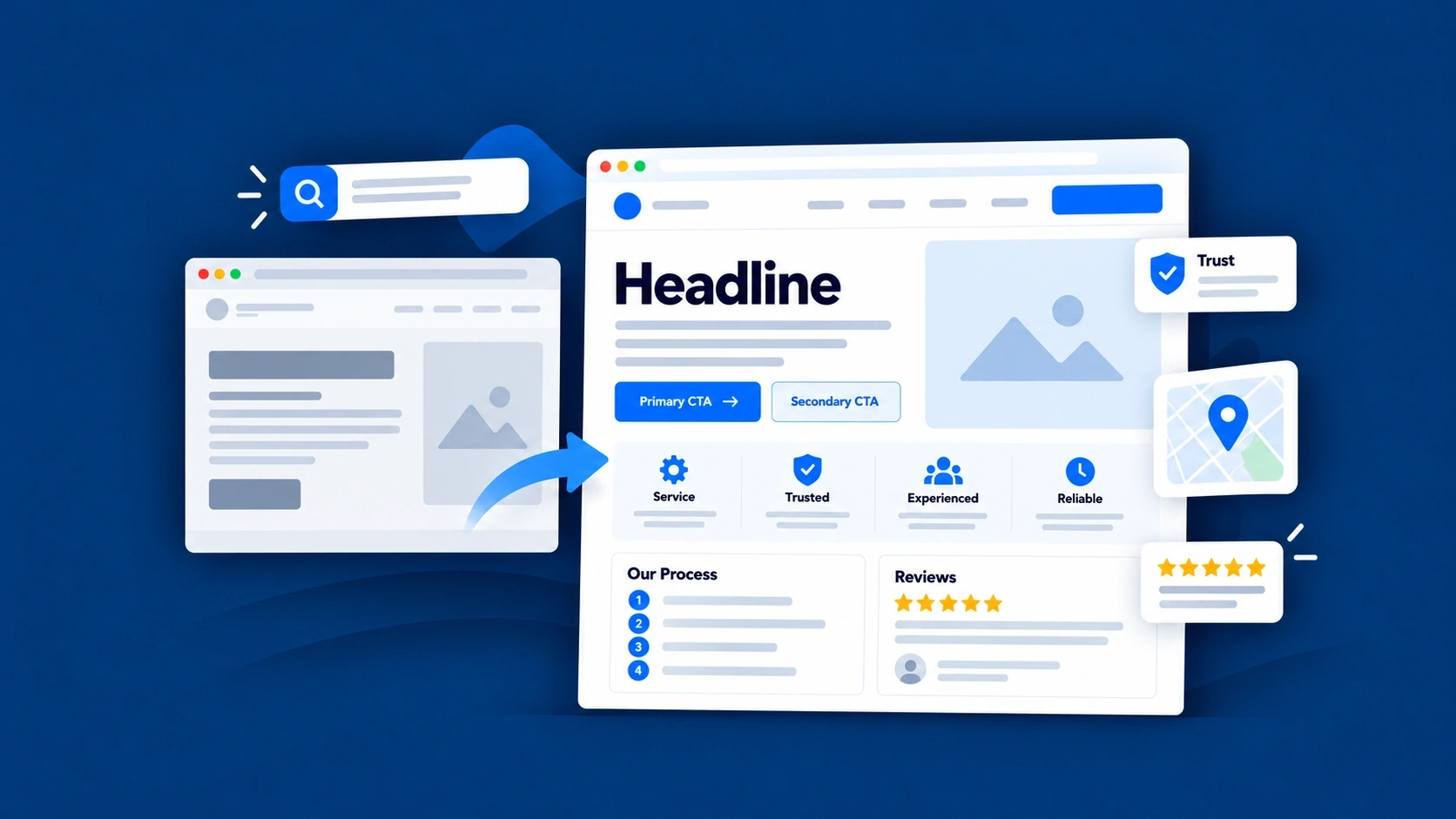
Website Traffic but No Leads? What Service Businesses Should Fix First
Getting website traffic but few inquiries? Learn how to identify the problem, improve your service pages, and turn more relevant visits into leads.
In this guide14 sections
- 01Traffic, actions and real leads
- 02Check the evidence first
- 03Example 1 · Search intent
- 04Example 2 · Service clarity
- 05Example 3 · Contact friction
- 06Five reasons to investigate
- 07Six steps to diagnose the problem
- 08Choose what to fix first
- 09Measure the right things
- 10Traffic or conversions first?
- 11Where Blue Kite SEO helps
- 12Your practical checklist
- 13Frequently asked questions
- 14Understand what you have
Your website is getting visitors.
Google Search Console shows impressions and clicks. Your analytics reports show that people are reaching the website. Maybe traffic has even increased over the past few months. That sounds encouraging.
But there's a problem. The phone isn't ringing much. Contact forms are quiet. And you're wondering why all those website visits aren't turning into more business.
Naturally, you start questioning your SEO. Are you targeting the wrong keywords? Do you need to publish more articles? Is your website ranking for the wrong searches? Should you spend more money on marketing?
Those are reasonable questions. But before making changes, there's something worth understanding.
Getting people to your website and giving them a reason to contact your business are two different challenges.
You can have a website that attracts thousands of visitors who were never looking to hire someone. You can also have a website that attracts exactly the right people but fails to explain the services clearly enough for them to inquire.
And sometimes the problem isn't the traffic or the website at all. It's that your tracking doesn't accurately reflect the inquiries you're receiving. The solution depends on where the problem actually is.
In this guide, we'll look at three service businesses facing different challenges. We'll explain how to recognize what's going wrong, what to improve first, and how to measure progress without confusing website activity with genuine customer inquiries.
The goal isn't simply to get more clicks. It's to help more of the right visitors understand your business, trust what you offer, and take the next step.
Quick Overview
If your website is getting traffic but not enough leads, start by checking five things:
- Are the right people visiting? Traffic from people researching general questions isn't the same as traffic from people actively looking for your service.
- Do your service pages explain what you offer? Visitors need to understand whether your business can help them and what to expect.
- Does your website build confidence? Relevant experience, genuine reviews, clear business information, and useful details can help customers make decisions.
- Is contacting you straightforward? Difficult forms, unclear buttons, broken booking links, and frustrating mobile experiences can stop interested visitors.
- Are you measuring actual inquiries? A phone-link click isn't a completed phone call. A website visit isn't a lead. And analytics can miss activity if tracking isn't configured correctly.
The most useful next step isn't automatically more SEO content. It's identifying where interested customers may be getting lost, and fixing that part first.
First, Website Traffic Is Not the Same as Leads
Let's start with a distinction that can change how you look at your website reports. Imagine two websites.
The first receives plenty of visits from people researching topics related to its industry. The second attracts fewer visitors, but those visitors are looking for a particular service and are considering hiring someone.
Which website is performing better? You can't answer that from visitor numbers alone.
The second website might generate more valuable inquiries despite receiving less traffic. This is why business owners should understand what different website metrics actually measure.
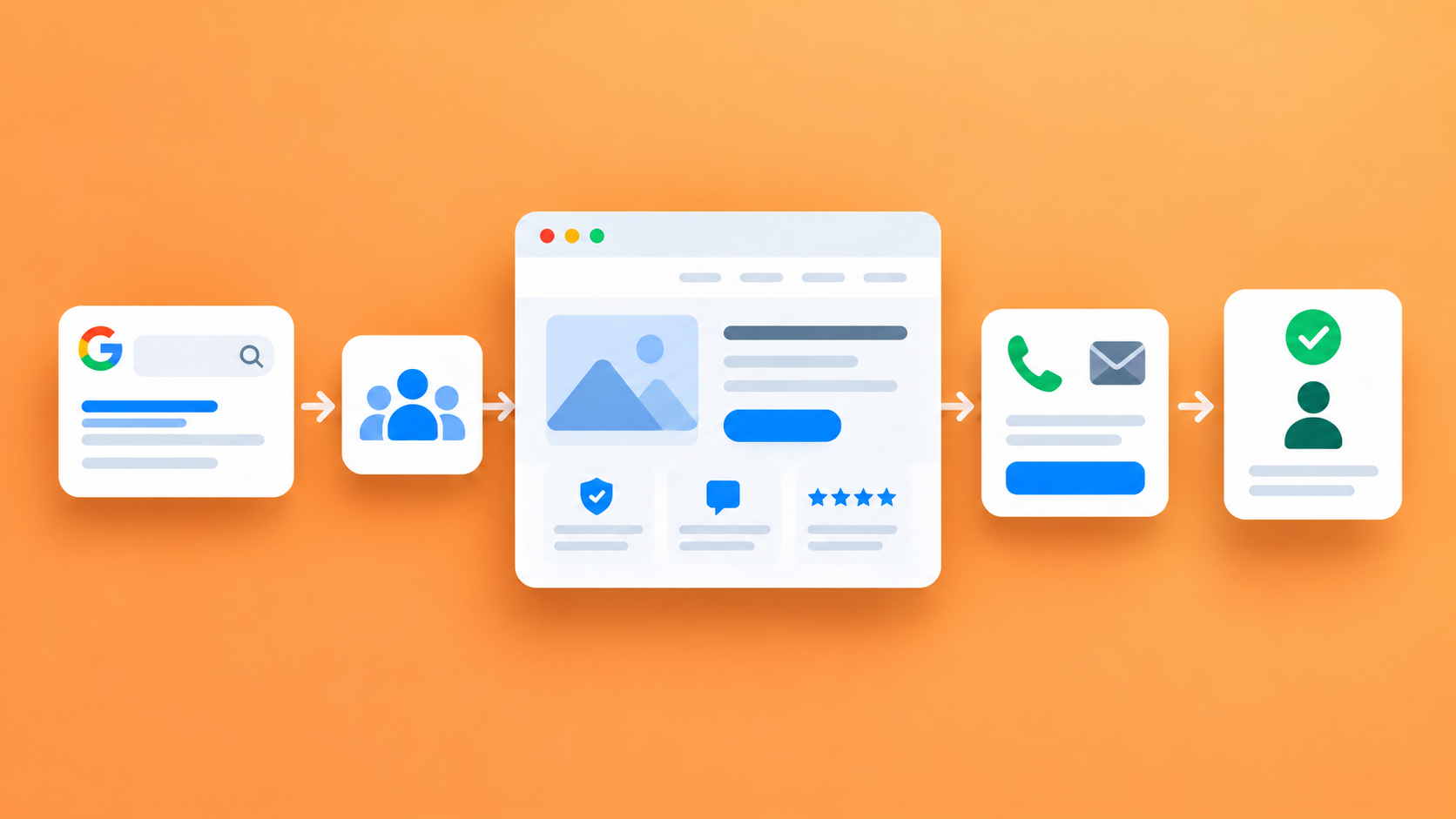
From appearing in Google to winning a customer
Search impression
Your website appeared in an eligible Google Search result
Doesn’t proveSomeone visited the website
Search click
Someone clicked through from Google Search
Doesn’t proveThey were interested in hiring you
Website visit
Someone reached your website
Doesn’t proveThey found the service they needed
Contact interaction
Someone clicked a phone link, email link, or another contact control
Doesn’t proveA conversation or completed inquiry happened
Confirmed inquiry
Your business actually received a call, submitted form, booking request, or message
Doesn’t proveThe person is a suitable customer
Qualified lead
The inquiry appears to match the services, location, and customers you want
Doesn’t proveThe person will buy
Customer
The inquiry becomes actual business
Doesn’t proveThe revenue was necessarily caused by one SEO change
These are related stages, but they aren't interchangeable measurements. For example, Google Search Console can show search impressions and clicks. Google Analytics may show website visits and configured interactions. Neither automatically tells you how many qualified customers you gained.
Your booking system, customer records, phone system, or CRM may provide another part of the picture. And the numbers across these systems won't always match exactly because they measure different things.
Google explains these differences in its guide to using Search Console and Google Analytics together.
Traffic tells you people are reaching your website. Leads tell you whether some of those people are taking a meaningful step toward doing business with you.
The distinction sounds simple. But it's fundamental to deciding what to improve.
Before Changing Your Website, Make Sure You Understand the Problem
It's tempting to start rewriting pages as soon as the numbers look disappointing. I wouldn't do that immediately. First, make sure you're looking at the right information.
Are you reviewing organic search traffic or all website traffic?
Suppose Google Analytics shows an increase in website visits. Where did those visitors come from?
Some may have arrived through Google organic search. Others may have followed links from social media, advertising, emails, referrals, or other sources. If your concern is SEO, look specifically at the relevant organic search activity rather than assuming every website visit came from Google.
You can then investigate which pages those visitors reached. For example, a blog article attracting general-interest traffic may behave very differently from a page explaining a service someone wants to book.
Are you overlooking inquiries that happen elsewhere?
Some customers may discover your business through Google Maps and contact you without visiting your website. Others may read your website, return later through another channel, and then get in touch. A customer might even remember your business name and call directly.
Your website analytics won't automatically connect every one of those interactions. Before concluding that your marketing isn't generating opportunities, compare the website data with actual business records.
Is your tracking working?
Perhaps your contact form is receiving messages, but the analytics event isn't recording them. Or phone-link clicks are being tracked, but nobody has checked whether those clicks lead to completed conversations.
Those are different measurement problems. If you're not confident in the data, investigate that before making major SEO decisions. Otherwise, you may end up changing a website that is performing better than the reports suggest.
Example 1: A Plumbing Company Getting the Wrong Kind of Traffic
Let's imagine a fictional plumbing company in Phoenix, Arizona. The company repairs blocked drains, leaking pipes, and other residential plumbing problems.
Its website has been publishing helpful articles about common household plumbing issues. Some articles attract a reasonable number of visitors. The owner is pleased to see traffic increasing. But inquiries remain disappointing.
What the website data reveals
After reviewing Google Search Console, the business notices something interesting. Many people are reaching an article about clearing a blocked drain. They're searching for questions such as:
“Can I solve this myself?”
“Who can help me locally?”
Explain the problems you handle, where you work, and how to request help.
Request drain-cleaning serviceThese searches are relevant to plumbing. But many people making them may be looking for information, not a professional service.
Some may live outside the company's service area. Others may be trying to solve the problem themselves.
The article is attracting an audience, but not necessarily people ready to book a plumber in Phoenix.
The problem isn't automatically poor SEO. The article may be answering exactly the questions people searched for.
The business problem is that the traffic doesn't necessarily match the owner's immediate goal of attracting local service inquiries.
What I'd investigate next
I'd look at the company's main drain-cleaning service page.
- Does it explain the actual service clearly?
- Does it show where the business operates?
- Can someone searching for professional drain cleaning quickly understand what to do next?
- And is there a useful connection between the troubleshooting article and the commercial service page?
Perhaps the blog article is valuable, but its readers have no clear way to learn about the professional service when they need it.
What I'd improve first
I wouldn't automatically delete the article or start publishing ten more. I'd consider three improvements.
First, strengthen the drain-cleaning service page. Explain the problems the business handles, its real service area, relevant experience, and how customers can request assistance.
Second, connect the article to the service naturally. For example, after explaining common causes of recurring blockages, the article could mention when a professional assessment may be appropriate and link to the company's drain-cleaning service.
Third, monitor relevant service-related searches. Look at whether the company's commercial pages are receiving impressions and clicks for searches connected to the services it wants more of. That provides a clearer picture than overall traffic alone.
The lesson
Not all informational traffic is worthless. A helpful article may introduce people to your business before they're ready to inquire, and it may support trust or referrals later.
But if your goal is to generate more immediate service inquiries, you need to understand the difference between people researching a subject and people looking for a provider.
More visits from the first group won't automatically produce more bookings from the second.
Example 2: An Accounting Firm Attracting Interested Visitors but Losing Their Confidence
Now consider a fictional accounting firm in Denver, Colorado. The firm provides bookkeeping, payroll support, and accounting services for small businesses.
Its website receives visits to the bookkeeping service page. The searches appear relevant. People are looking for bookkeeping support, and the firm genuinely offers that service. But the page isn't producing many inquiries.
The problem isn't necessarily search intent
Unlike the plumbing example, these visitors may already be considering professional help. They've reached a relevant service page. But when they arrive, they see a heading such as:
Comprehensive Financial Solutions
And an introduction:
We deliver innovative, tailored financial solutions that empower organizations to achieve their goals through a commitment to excellence and client satisfaction.
That might sound professional. But what does it tell a small business owner looking for bookkeeping help? Very little.
- They still don't know what the service includes.
- They don't know whether the firm works with a business like theirs.
- They don't know what the onboarding process involves.
- And they aren't sure what will happen after contacting the firm.
The visitors may have the right intent, but the page isn't giving them enough useful information.
Before and after: A clearer service-page introduction
Comprehensive Financial Solutions
We provide tailored financial solutions to help businesses achieve success. Our dedicated team offers exceptional service and professional expertise.
The offer still needs explaining.Monthly Bookkeeping for Small Businesses
We help growing service businesses keep their financial records organized through monthly transaction categorization, account reconciliation, and regular bookkeeping reports.
Whether you're moving away from managing the books yourself or need ongoing support for an established business, we'll help you understand the available service options and how to get started.
For this hypothetical example, those are services the firm genuinely provides. A real business must confirm the exact inclusions before using wording like this.
Why the revised version helps
The improved introduction does several things.
- It identifies the service clearly.
- It describes what is included.
- It explains who may find the service suitable.
- And it gives readers a more specific next step.
It's not making exaggerated promises.
It's making the service easier to understand.
Trust matters too
For accounting services, customers may be sharing sensitive financial information. They want to know they're dealing with a credible, professional business.
The page could provide relevant information about the firm's experience, professional credentials, team, onboarding process, and genuine client feedback where appropriate. Those details can help interested visitors evaluate the firm.
But they must be accurate. A website shouldn't invent qualifications, client results, or testimonials to appear more convincing.
What I'd improve first
I'd focus on the existing bookkeeping page before creating another article. That might include:
- Clear service inclusions and limitations.
- A better explanation of the types of clients the firm works with.
- Information about the onboarding process.
- Relevant, genuine trust signals.
- Clear ways to request an introductory conversation.
Then I'd review whether visitors are taking more meaningful contact actions, while also checking actual business inquiries.
Our guide to writing a service page that attracts the right customers explores these improvements in depth, including a complete before-and-after example.
The lesson
Sometimes the traffic is relevant, but the website hasn't done enough to help visitors feel ready to contact the business. In that situation, more traffic may simply send more people to a page that still leaves important questions unanswered.
The first improvement should be the page itself.
Example 3: A Cleaning Company Making It Too Difficult to Get in Touch
Finally, imagine a residential cleaning company in Raleigh, North Carolina. Its website is reasonably well organized. The service pages explain what the business offers. The company has genuine customer reviews and clear information about its service area.
People are reaching the right pages. But inquiry numbers are disappointing.
The problem appears when someone tries to contact the business
On a desktop computer, the website looks fine. But on a phone, the booking process is frustrating. The main contact button is difficult to find.
The form asks for a large amount of information before someone can submit an initial request. A potential customer has to scroll through several sections, fill in numerous fields, and work out which service category applies to their situation.
Some visitors may abandon the process. Others may click the phone number but never complete a call.
The business is investing in attracting potential customers, but its contact process is creating unnecessary friction.
What a better inquiry experience might look like
For this fictional company, I would simplify the initial request.
Start your cleaning request
Request a Cleaning Quote
Tell us what cleaning service you're interested in and where the property is located. We'll review your request and explain the next step.
Initial form fields:Once submitted successfully, the customer should receive a clear confirmation. The business can then request further details if they're needed to assess the work accurately.
This isn't a rule that every cleaning business should use only five fields.
Some services require photographs, property details, or an in-person assessment before pricing can be provided. The principle is to ask for information when it's needed, explain why you're asking, and avoid unnecessary barriers before a customer can begin the conversation.
Don't forget the mobile experience
For many service businesses, a phone is an important way customers access the website.
Check that:
- Contact buttons are easy to see and tap.
- Phone links open the expected calling action.
- Forms are usable without excessive zooming or awkward scrolling.
- Required fields are understandable.
- Validation messages explain what needs correcting.
- Successful submissions produce a clear confirmation.
A website may look excellent on a desktop screen while being frustrating to use on a phone.
How would we know whether the changes helped?
Start by confirming that the form works properly. Then look at configured form interactions and actual inquiries received. If analytics is correctly implemented, you may be able to compare people starting the form with people submitting it.
But a recorded form submission event doesn't automatically prove that the business received and processed the inquiry. That may need confirmation through the form system, email delivery, or CRM.
Google's Analytics guidance on lead-generation forms explains how website owners can examine form interactions and investigate where visitors may abandon the process.
The lesson
Sometimes the most valuable website improvement isn't an SEO article, a new location page, or another keyword. It's making the next step easier for someone who's already interested.
Five Reasons a Service Website Gets Traffic but Few Leads
The three examples illustrate different problems. Here's a wider framework you can use to identify what's happening on your own website.
| Problem | What you might notice | What to investigate first |
|---|---|---|
| 1. Wrong search intent | Most visits reach informational articles, while service pages receive little traffic | Search queries, landing pages, and visibility for important services |
| 2. Unclear service information | Relevant visitors reach service pages but the offer is difficult to understand | Headings, service inclusions, customer fit, and process explanations |
| 3. Weak trust signals | The page explains the service but offers little genuine evidence about the business | Relevant experience, qualifications, reviews, and team information |
| 4. Contact friction | Visitors appear interested but have difficulty calling, booking, or submitting forms | Mobile usability, CTA destinations, form complexity, and working contact options |
| 5. Incomplete measurement | Analytics reports show little contact activity despite actual inquiries, or vice versa | Event configuration, form confirmations, call records, and data sources |
Several problems can exist at once. But that doesn't mean you should try to fix everything immediately.
Start with the strongest evidence of what's preventing the website from supporting your business goals.
How to Find Out What's Actually Going Wrong
You don't need an advanced analytics dashboard to begin diagnosing the problem. You do need to ask the right questions in a sensible order.
Step 1: Identify where visitors are coming from
Are you looking at Google organic search, another organic search engine, paid advertising, referrals, or all traffic sources combined? Different sources may bring visitors with different intentions.
If your concern is SEO performance, examine the organic-search portion of the available data. Don't assume total website traffic reflects only SEO activity.
Step 2: Review the pages visitors actually reach
Which pages are attracting traffic? Your homepage? Important service pages? Blog articles? Location pages?
An article answering a popular informational question might generate plenty of visits without directly producing many inquiries. A commercially important service page may receive fewer visitors but have a much closer relationship to customer inquiries.
This doesn't automatically make one page more valuable than the other. It helps you understand their different jobs.
Step 3: Compare those pages with what customers are searching for
Google Search Console can show relevant search queries associated with a page. Ask whether those queries match what the page offers. For example:
How to fix a leaking pipe
And:
Plumber for leaking pipe repair near me
may reflect different stages of a customer's journey. Both can matter to a plumbing business, but they shouldn't necessarily receive the same content or calls to action.
Step 4: Review the page as a potential customer
Open the page on your phone. Pretend you've never heard of the business.
Can you quickly understand the service? Can you tell whether the business works in your area? Can you find genuine reasons to trust it?
Do you know what happens after making contact? And can you complete the inquiry process without unnecessary difficulty?
This simple exercise can reveal problems that traffic reports cannot.
Step 5: Test the actual contact process
Click the phone link. Open the booking page. Test the contact form using an appropriate test submission.
Check that confirmation messages work and that the business actually receives the test request. If analytics events are configured, verify that they reflect the expected interactions. Avoid assuming that the presence of a contact button means the contact process works.
Step 6: Compare analytics with actual inquiries
Review incoming calls, forms, booking requests, and other relevant customer records.
Can you identify genuine business inquiries? Are they suitable for the services you offer? Do their locations match your service area?
Are they coming from existing customers, referrals, organic search, advertisements, or sources you cannot reliably identify?
You may not be able to attribute every inquiry perfectly. That's okay.
The aim is to make better decisions using the evidence you have, not pretend that every visitor can be followed all the way to a sale.
What Should You Fix First?
Once you have a clearer understanding of the problem, you can prioritize the work. I recommend considering three things:
- Business impact: Is the issue affecting an important service or a meaningful source of potential customers?
- Confidence: Do you have credible evidence that the issue exists, or are you working from an assumption?
- Effort: How much work is required, and does it need a developer, specialist, or information from your team?
You don't need to invent a numerical score. Use those questions to make a sensible decision.
A practical order of priorities
Open the issue you’ve observed to see a reasonable first move.
Website tracking is missing or clearly incorrect
Fix or validate the measurement before drawing conclusions
Important service pages receive little relevant organic visibility
Review service-page coverage, search intent, indexing, and SEO priorities
Visitors land on the wrong type of content
Improve content alignment and navigation toward relevant services
Commercial pages are vague or incomplete
Strengthen the existing service pages
Customers lack confidence in the business
Improve genuine evidence, service explanations, and process clarity
Forms or contact links are difficult or broken
Fix the inquiry experience promptly
Leads arrive but aren't suitable
Reassess service positioning, geographic targeting, and qualification expectations
A broken booking form may deserve immediate attention even if other SEO improvements have greater long-term potential. Likewise, a serious indexing problem affecting an important service page can take priority over publishing additional content.
The right next move depends on what's actually holding the website back.
How to Measure SEO Leads Without Misreading the Numbers
This is where business owners often become frustrated. They open a report, see lots of numbers, and still aren't sure whether the website is producing valuable business.
The answer is to distinguish search performance, website activity, and actual business inquiries.
Google Search Console: How people find you in Google Search
Google Search Console can help you understand:
- Which pages appear in Google Search.
- Which queries are associated with those appearances.
- How many search impressions and clicks are recorded.
- How search visibility changes over time.
These are useful SEO measures.
But Search Console does not tell you whether someone completed a booking, became a qualified lead, or purchased your service.
Google Analytics: What happens on your website
Google Analytics can help you examine visits, traffic sources, landing pages, and configured interactions.
For example, depending on setup, it may record events such as:
- Page views.
- Form starts.
- Form submissions.
- Specific button or link clicks.
- Booking-related interactions.
Google Analytics 4 also allows important events to be identified as key events, helping businesses report on actions relevant to their goals. However, the event setup needs to be correct.
Some interactions are automatically or optionally collected through enhanced measurement. Others may need additional configuration. And even correctly recorded interactions can represent different levels of customer intent.
Actual inquiries: What your business receives
This is the next layer.
A confirmed inquiry might be:
- A completed contact form received by your business.
- An actual incoming phone call.
- A booking request received through your booking system.
- A relevant email or direct message.
But not every inquiry is a suitable lead. Someone outside your service area may contact you. A visitor may request a service you don't provide.
Or a person might be looking for employment rather than becoming a customer. You need to consider inquiry quality as well as quantity.
Why phone-link clicks can be misleading
Suppose your report records twenty phone-link clicks. Does that mean your business received twenty calls? No.
Someone may tap the link and then cancel before calling. Another person may tap it several times. A visitor might also type the phone number manually without triggering a website event.
A phone-link click is evidence of an interaction, not proof of a completed call.
Google makes this distinction in its Google Ads phone-click measurement guidance.
The same principle applies to email-link clicks. Clicking an email address does not prove that a message was sent.
And if your form tracking only records a submission attempt, you should confirm that the submission actually reached your business.
Why Search Console and Analytics may show different numbers
It's normal for Google Search Console clicks and Google Analytics visits or sessions to differ. They don't measure the same thing. Measurement limitations, consent settings, browser behavior, session definitions, and other factors may also affect what Analytics records.
Rather than trying to make every number identical, understand what each source can reliably tell you.
A reporting framework for service businesses
Are people discovering our pages through Google?
Search Console impressions and clicks
Which services are gaining search visibility?
Search Console page and query performance
Are visitors reaching important pages?
Analytics landing-page and traffic-source information
Are visitors taking contact-related actions?
Verified configured events
Are we receiving actual inquiries?
Form systems, call records, booking systems, and CRM data
Are the inquiries suitable?
Business qualification records and customer conversations
Are inquiries becoming customers?
Sales and customer records
You don't need a complicated report filled with dozens of charts. A useful report should help you understand what changed, what the numbers actually represent, and which decision deserves attention next.
Should You Try to Increase Traffic or Improve Conversions First?
This is a common decision. And again, there's no universal answer.
If your business receives very little relevant organic traffic, improving search visibility for important services may deserve more attention.
But if interested visitors are already reaching your commercial pages and finding them confusing, improving those pages could be a sensible first move.
Sometimes both are needed. Consider these two situations.
Business A: An electrician has clear service pages, a trustworthy website, and an easy contact process. But few relevant customers are finding the pages through search. Its immediate opportunity may be search visibility.
Business B: A cleaning company has relevant visitors reaching its service pages, but the quote process is broken on mobile. Its immediate problem is the inquiry experience.
Giving both businesses a plan to publish four articles every month wouldn't necessarily address the most important issue for either.
That is why the business and website should determine the work.
If you're unsure where to begin, our SEO guide for small service businesses explains how to review your website and decide what deserves attention first.
How Blue Kite SEO Helps You Focus on the Right Improvements
This is where a strategy-led approach becomes valuable. The problem for many business owners isn't understanding that SEO matters. It's knowing which changes are worth making and how to get them done.
Blue Kite SEO is designed to help small service businesses connect their business goals, website condition, SEO Strategy, and ongoing website improvements.
The process starts with understanding the business. You provide information about your services, ideal customers, locations, and priorities through your Business Profile and Strategy Setup.
Blue Kite SEO reviews the website evidence it can access and develops an SEO Strategy around the opportunities it identifies.
The review isn't a guarantee of an exhaustive technical or conversion audit. Some issues, particularly tracking configuration and complex technical problems, may require further investigation or specialist input.
But the Strategy can help identify useful priorities.
For example, a website may need:
- Clearer service-page information.
- Improvements to important existing pages.
- Better internal links.
- More relevant supporting content.
- A clearer explanation of its real service areas.
- Website changes that need the owner's or a developer's attention.
The Monthly SEO Plan then turns the broader Strategy into work that can be addressed next. When an eligible page or article needs creating or improving, Blue Kite SEO can prepare the content for review.
On a compatible connected WordPress website, supported publishing and website updates can also be carried out with the owner's approval. Other tasks may require business input, a developer, or another specialist.
What about reporting?
Blue Kite SEO provides work reports and can use connected Google Search Console data and supported Google Analytics information when those services are configured. That can help owners review completed work alongside available performance evidence.
But it's important to understand the limits. Blue Kite SEO doesn't automatically establish that every contact interaction represents a qualified lead. It also doesn't automatically install all the tracking a website may need.
For example, if a contact form isn't correctly recording successful submissions, that measurement issue may require changes to the website or its analytics setup.
The platform's role is to help identify, plan, and prepare useful SEO website work, while keeping the owner informed and in control.
And that can be particularly valuable when the business is unsure whether its next priority should be another article, an improved service page, or a different website change.
You can explore the full process in How Blue Kite SEO Works.
Website Traffic but No Leads? Your Practical Checklist
Before spending money on additional SEO content or another marketing campaign, work through these questions.
You don't need to solve every issue at once.
Start with the problem you have the strongest evidence for, make the improvement, and review what happens next.
Frequently Asked Questions
Why does my website get traffic but no leads?
There are several possible reasons. Visitors may be looking for information rather than a service, your commercial pages may not explain the offer clearly, visitors may lack confidence in the business, or the contact process may be difficult.
Tracking problems can also make inquiry numbers appear lower than they actually are.
Does more website traffic mean more customers?
Not necessarily. More visitors can create more opportunities, but the relevance of those visitors and their experience on the website matter.
A smaller number of well-matched visitors may produce more useful inquiries than a larger audience with little interest in hiring the business.
How many visitors should my website get before generating leads?
There is no reliable universal number. It depends on the service, search intent, customer demand, website quality, market, and how leads are measured.
A small business should focus on attracting relevant visitors and understanding what happens when they reach important pages.
What is a good conversion rate for a service business website?
There isn't one conversion rate that every service business should expect. Results vary by traffic source, service type, inquiry method, and how a conversion is defined.
Compare meaningful, consistently measured results over time rather than assuming a generic industry benchmark applies to your website.
Should I create more blog posts if I'm not getting leads?
Not automatically. Blog posts can answer relevant questions and support search visibility, but they won't necessarily fix weak service pages or a difficult contact process.
Review what the website actually needs before creating additional content.
Can Google Analytics tell me how many leads I received?
Google Analytics can report configured events, including selected form interactions or booking-related actions.
But the accuracy depends on implementation, and an event doesn't always prove that a qualified lead was received. Confirm important outcomes through your business's actual inquiry and customer records.
What's the difference between a contact click and a lead?
A contact click shows that someone interacted with a phone, email, or contact control.
A confirmed inquiry requires evidence that your business received an actual request, and a qualified lead means the person appears suitable for the services your business offers.
Can SEO improve website conversions?
SEO can support the quality and relevance of service information, website structure, internal linking, and overall visitor experience.
Those improvements may help visitors make decisions, but conversion-focused work can also involve forms, usability, sales processes, and tracking. Results aren't guaranteed.
The Bottom Line: Don't Chase More Traffic Until You Understand What You Have
If your website is getting traffic but not enough leads, it's natural to think you need more visitors. Sometimes you do. But sometimes the right visitors are already reaching your website.
They simply aren't finding enough information to feel confident contacting you. Or perhaps the contact process is making things unnecessarily difficult.
And occasionally, the problem is that your reports aren't measuring actual customer inquiries correctly. These situations require different solutions.
The goal isn't to attract the largest number of visitors. It's to attract the right people and help them take a meaningful next step.
That starts with understanding where the problem actually is.
- Review the traffic.
- Check the important pages.
- Look at the customer experience.
- Verify the contact process.
- And compare website activity with the inquiries your business really receives.
Then decide what to improve.
Sometimes the answer will be better SEO visibility. Sometimes it will be a stronger service page. Sometimes it will be a simpler contact form. And sometimes it will be better measurement.
The valuable part is knowing the difference.
Find Out What Your Website Needs Next
You don't necessarily need another batch of articles or a larger SEO package. You need a clearer understanding of what deserves attention.
Blue Kite SEO helps small service businesses review their website evidence, build an SEO Strategy, identify monthly priorities, and prepare supported website improvements for review.
Know what needs improving. Get more of the right work prepared. Stay in control of what goes live.
Blue Kite SEO supports strategy-led SEO website work. It doesn't guarantee search rankings, website traffic, completed inquiries, qualified leads, or new customers.